Wireframe: Proposing a radically new approach to Rate Pack association
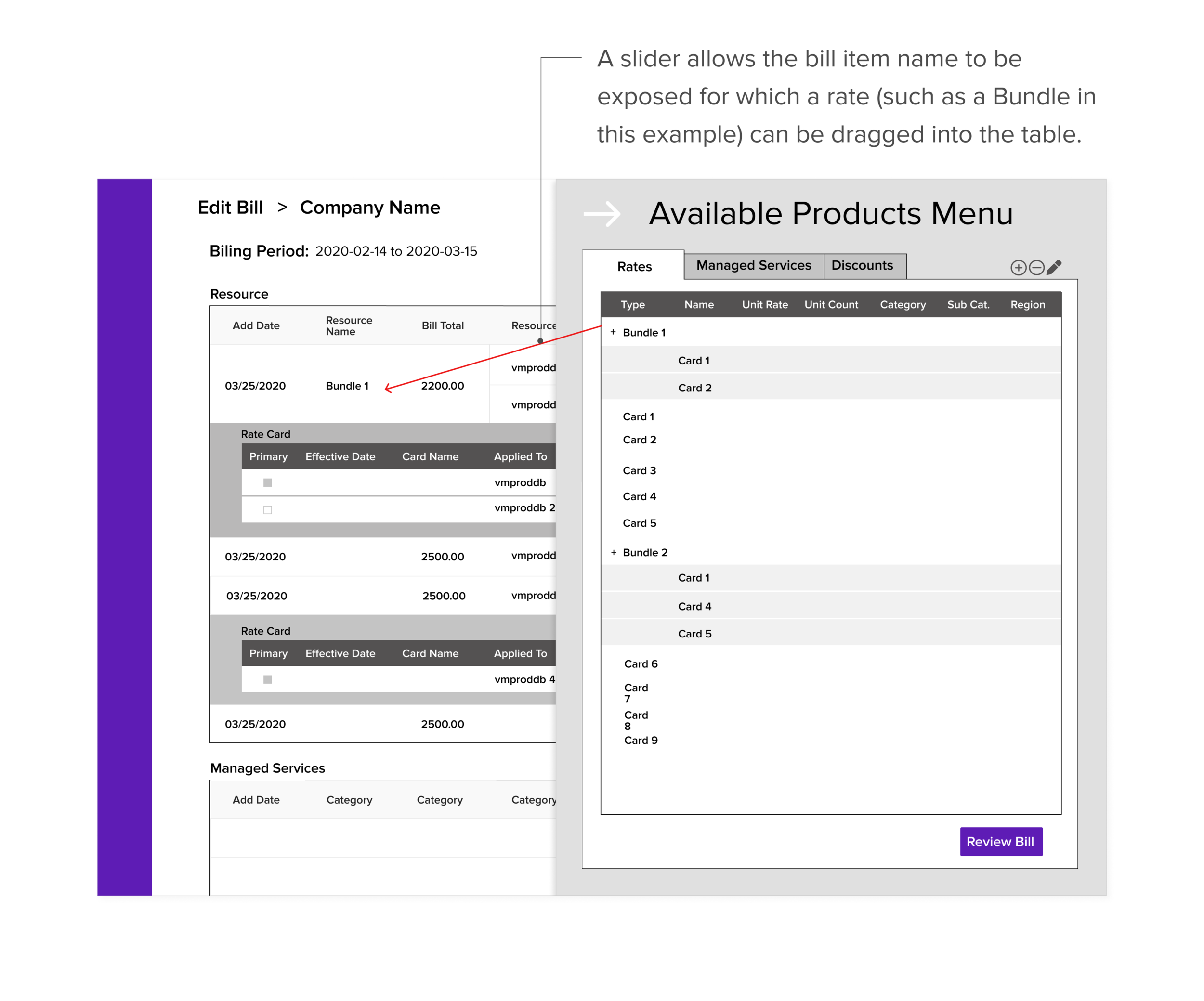
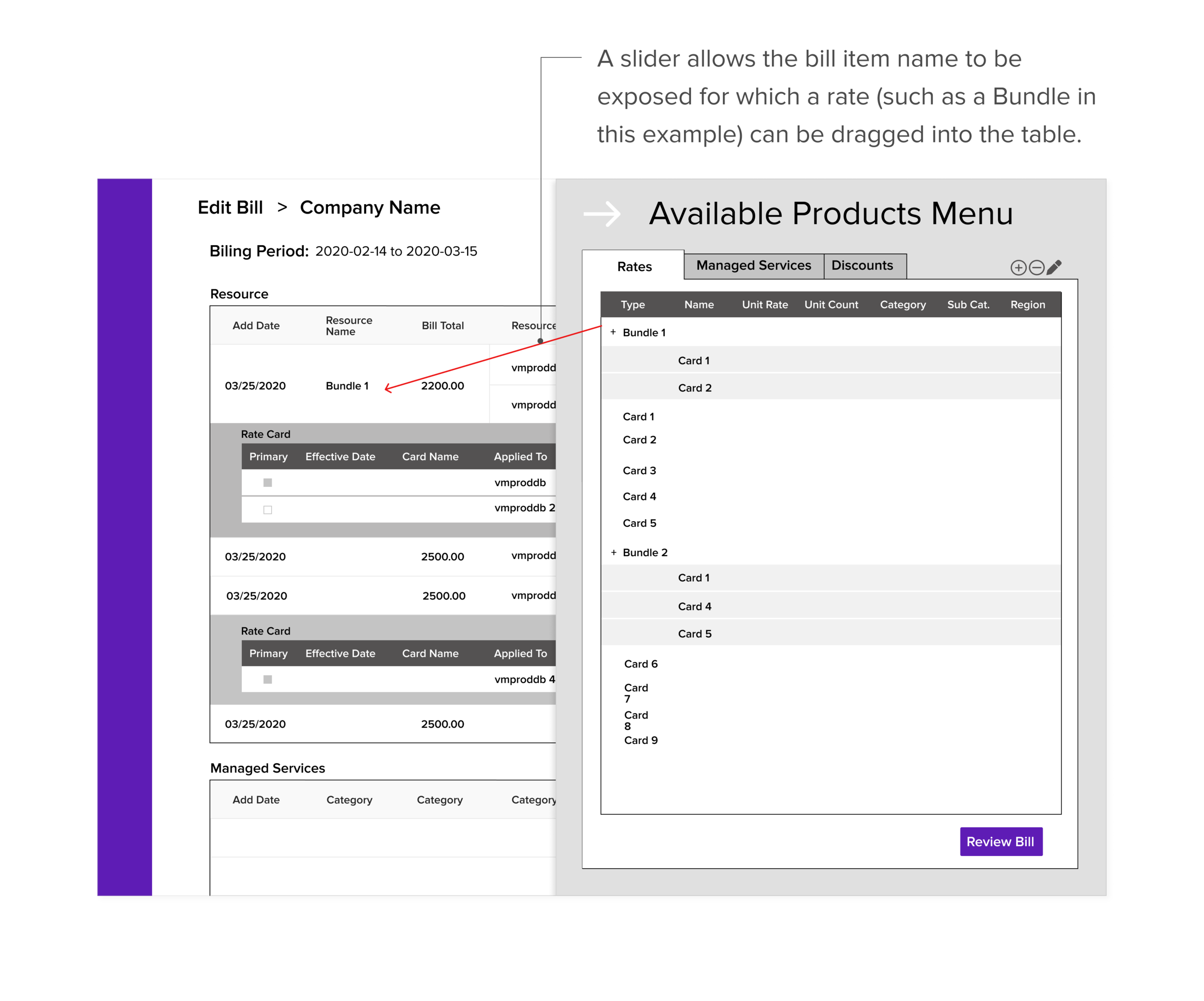
Before rethinking how rate packs get created, we needed to first establish the framework for how rates were added to the Edit Bill screen. Instead of the current design of a modal completely covering the Edit Bill screen, we proposed a slider model so that the CSP Administrator can see the bill item with which they are associating a rate. The user would then drag and drop the rate into the table on the Edit Bill screen.
Before rethinking how rate packs get created, we needed to first establish the framework for how rates were added to the Edit Bill screen. Instead of the current design of a modal completely covering the Edit Bill screen, we proposed a slider model so that the CSP Administrator can see the bill item with which they are associating a rate. The user would then drag and drop the rate into the table on the Edit Bill screen.
Lo Fi: Rate Pack creation through a simple drag and drop
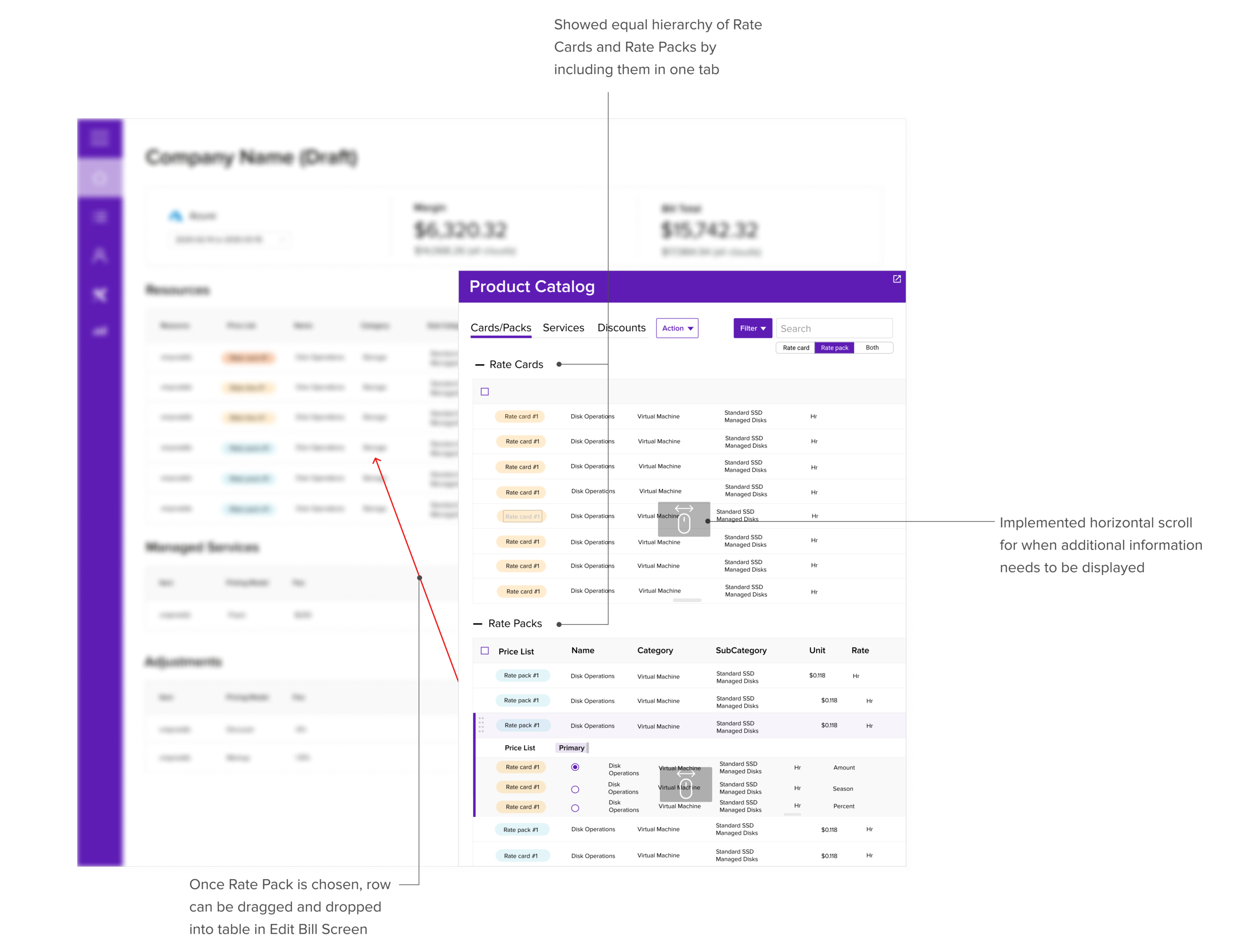
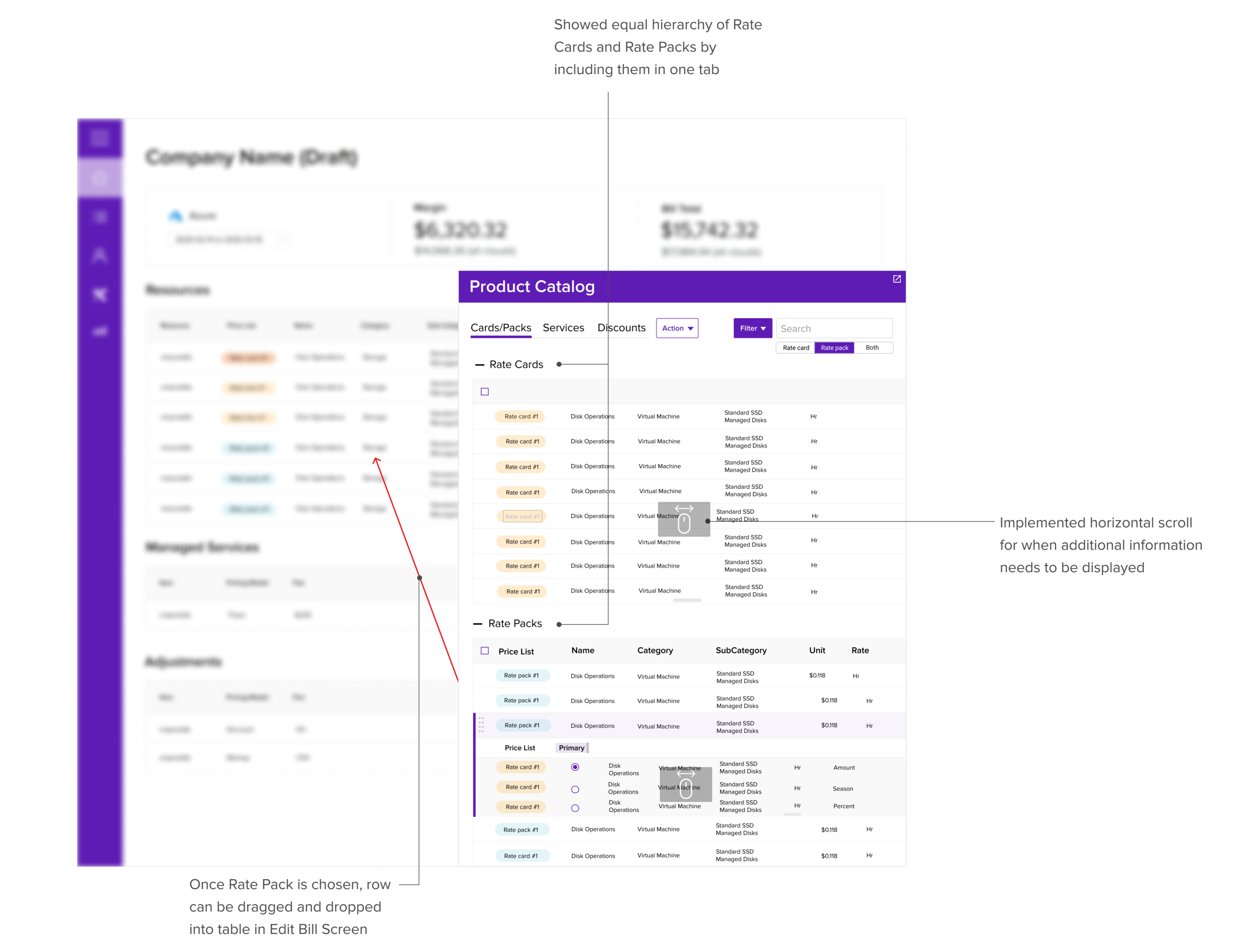
Rate Cards and Rate Packs are shown on the same screen so that a user may simply drag the desired Rate Cards into a new Rate Pack
Rate Cards and Rate Packs are shown on the same screen so that a user may simply drag the desired Rate Cards into a new Rate Pack
Final Screen: Taking inspiration from chat screens to meet all requirements of the Rate Pack creation process
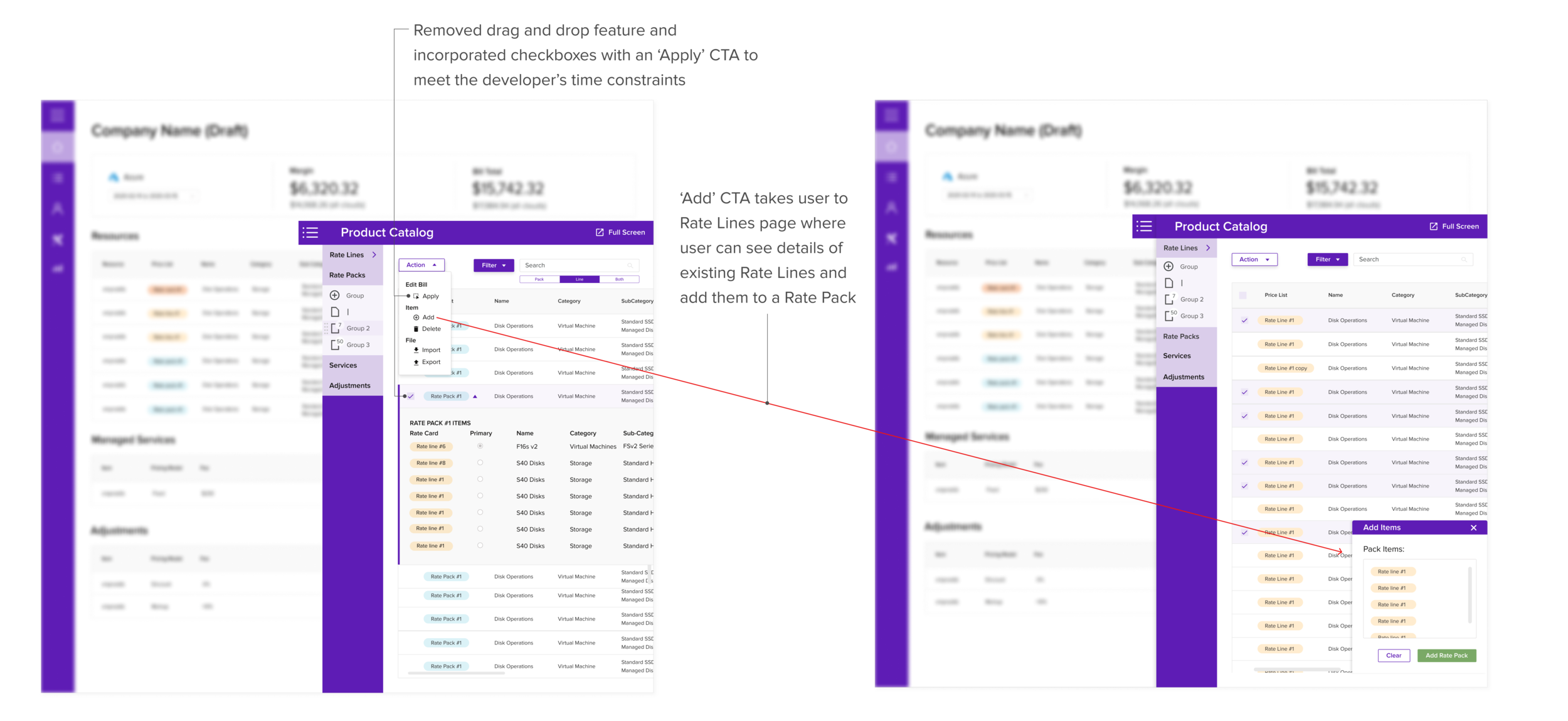
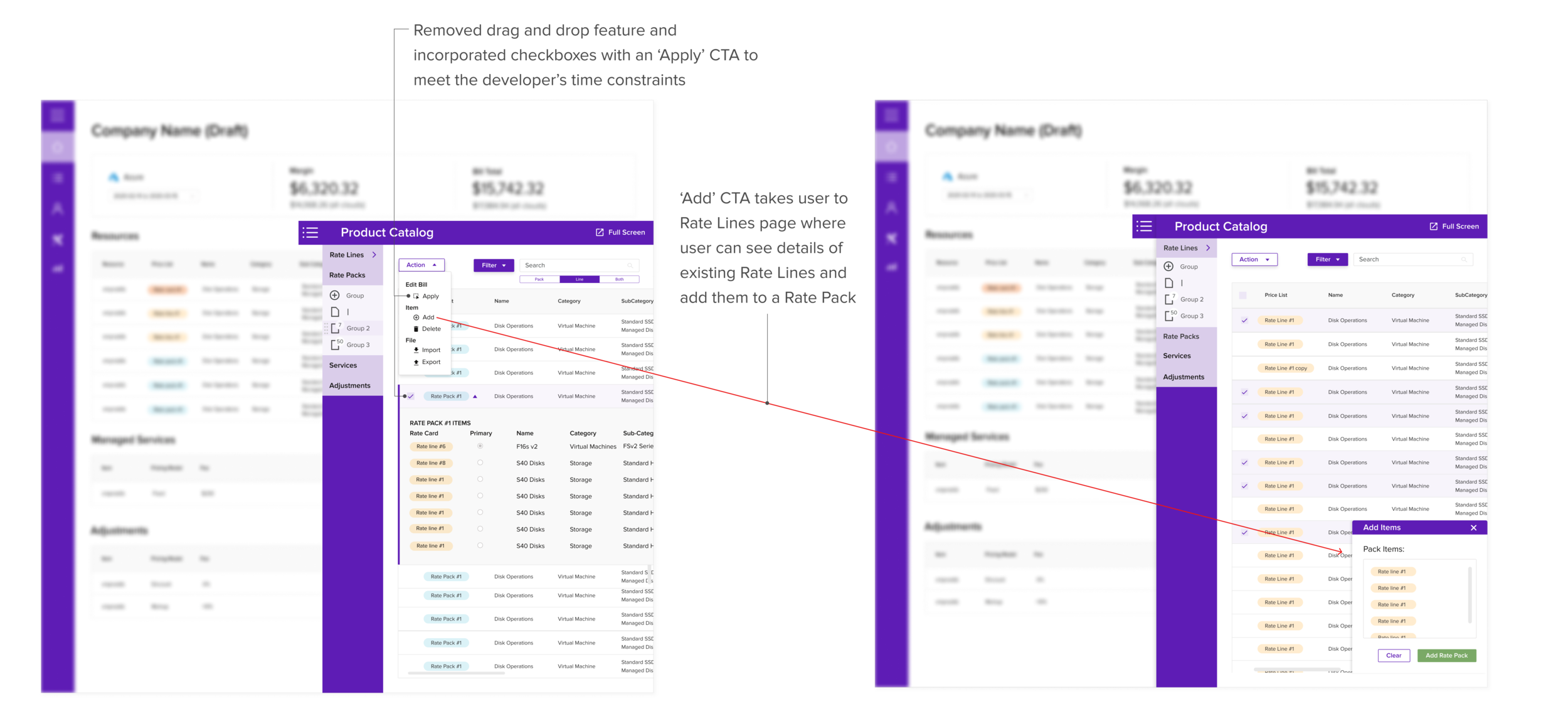
Our potential customer needed to see all Rate Line information in one screen; the tab view from the previous iteration did not allow for this visibility. We pulled inspiration from chat pop-ups so that the user can see all available Rate Lines while adding them to a Rate Pack.
Due to the team’s aggressive timeline for launch, our developer made a last minute request to remove the drag and drop feature when applying rows to the Edit Bill ccreen. We quickly found a solution by using checkboxes with an ‘Apply’ CTA.
Our potential customer needed to see all Rate Line information in one screen; the tab view from the previous iteration did not allow for this visibility. We pulled inspiration from chat pop-ups so that the user can see all available Rate Lines while adding them to a Rate Pack.
Due to the team’s aggressive timeline for launch, our developer made a last minute request to remove the drag and drop feature when applying rows to the Edit Bill ccreen. We quickly found a solution by using checkboxes with an ‘Apply’ CTA.